If you’ve ever typed “make a cool picture” into Gemini and felt underwhelmed by the result. The problem isn’t the AI – it’s the prompt. For image generation, how you describe the scene matters as much as what you want to see. The right Gemini prompt can turn a vague idea into stunning AI art with rich lighting, emotion, and details. While a weak prompt gives you flat, generic images.
This guide is your shortcut: 60 copy-paste prompts for Gemini image generation. All structured so you can just tweak a few words and get professional-looking results. We’ll cover portraits, fashion and aesthetics, fantasy and sci-fi characters, product shots, branding visuals, and artistic photography styles like cinematic, retro, and polaroid.
You don’t need design skills or photography jargon. Each prompt clearly spells out the subject, mood, style, and environment so Gemini knows exactly what to create. Use them as ready-made commands or as templates to build your own unique visual style for social media, client work, or personal projects.
How to Write Effective Image Prompts for Gemini
Before using the 60 copy-paste prompts, it helps to understand why they work. Gemini can generate beautiful images, but it only sees what you describe. If your prompt is vague, the result will be generic. If your prompt is specific and structured, Gemini has enough guidance to create stunning AI art that matches your vision.
Here are the key elements of an effective Gemini image prompt.
1. Describe the Subject Clearly
Start with who or what is in the image:
- A person (age, gender, style)
- An object (color, material, size)
- A scene (city, forest, room, fantasy world)
Instead of:
“A girl”
Try:
“A young woman in her mid-20s with long dark hair, wearing a white shirt and jeans”
This gives Gemini a clear subject to render.
2. Specify Lighting, Angle, and Mood
Lighting and camera angle drastically change the feel of an image:
- Lighting: soft, dramatic, golden hour, neon, studio light
- Angle: close-up, full-body, top-down, wide shot
- Mood: cozy, mysterious, dramatic, joyful, eerie
Example:
“Shot at golden hour, soft warm lighting, slightly blurred background, cheerful mood”
This helps Gemini create a more photographic and cinematic result.
3. Add Environment and Background Details
A good image prompt doesn’t just describe the subject; it also describes the environment:
- Indoors vs outdoors
- City, nature, fantasy world, sci-fi city
- Props or supporting elements
Example:
“Standing on a balcony overlooking a futuristic city, neon signs glowing in the background, light rain in the air”
These details give Gemini context and depth.
4. Mention Style or Art Direction
You can steer the overall style of the image:
- Realistic, cinematic, editorial, anime, watercolor, 3D render
- Vintage film, polaroid, retro, cyberpunk, minimalistic
Example:
“In a cinematic, realistic style with shallow depth of field”
5. Keep It Structured: Bad vs Good Example
Weak prompt:
“Make a cool cyberpunk girl picture.”
Strong prompt:
“Create a cinematic portrait of a young woman in a neon-lit cyberpunk city at night, wearing a futuristic jacket with glowing accents, soft rain falling, shallow depth of field, dramatic lighting, and realistic style.”
Same idea, but the second tells Gemini exactly what to do.
If you follow this pattern—Subject + Environment + Lighting + Mood + Style—you’ll consistently get better images. The 60 prompts in this article already follow this logic, so you can copy them directly or adapt them as templates for your own ideas.
Portrait & People Prompts (12 Prompts)
Use these Gemini prompts as copy–paste templates. Replace the text in brackets with your own details (age, style, location, etc.) to get portraits that fit your vision.
Studio Portraits (6 Prompts)
- Clean studio headshot
Create a clean studio headshot of a man/woman in their ages, wearing a color shirt/blazer, against a soft lightgrey/white/beige background. Even studio lighting, subtle shadows, and a confident but friendly expression, ultra-realistic style.
- Corporate profile photo
Generate a professional corporate portrait of a role,e.g.,softwareengineer in a modern office studio setting, neutral background, soft key light, natural retouching, and a relaxed smile suitable for LinkedIn.
- Beauty close-up
Create a close-up beauty portrait of a man/woman with flawless skin, detailed eyes, soft-focus background, gentle front lighting, and a slightly glossy look, editorial quality.
- Dramatic low-key portrait
Generate a low-key studio portrait of a subject with dark background, strong side lighting, deep shadows, and high contrast, cinematic and moody style.
- Traditional attire portrait
Create a full-body studio portrait of a man/woman wearing traditional culturaloutfit, e.g.,saree,thobe,kimono, simple backdrop, soft lighting, and respectful, elegant pose.
- Character-style headshot
Generate a stylized headshot of a fantasy/sci−fi character, studio background, sharp details, expressive eyes, and a slightly exaggerated but realistic look.
Lifestyle & Candid Photos (6 Prompts)
- City Street candid
Create a candid lifestyle photo of a man/woman walking through a busy cityname street, shallow depth of field, warm afternoon light, soft motion blur, and natural expression.
- Coffee shop moment
Generate a cozy lifestyle photo of a person sitting by a window in a coffee shop, holding a mug, soft natural light coming through the glass, warm tones, candid smile.
- Park picnic scene
Create a relaxed photo of friends having a picnic in a green park, blankets, snacks, soft sunlight, casual outfits, and a joyful, spontaneous mood.
- Home office remote work
Generate a lifestyle image of a person working from a minimalist home office, laptop on desk, indoor plants, soft daylight, calm and focused atmosphere.
- Golden hour portrait
Create a half-body portrait of a subject standing in an open field at golden hour, backlit hair glow, sun flares, warm tones, and a dreamy, cinematic mood.
- Travel snapshot
Generate a travel-style photo of a person standing in front of famouslandmark, casual outfit, slightly wide-angle view, bright daylight, and an excited, touristy expression.
These 12 prompts give you a strong starting point for realistic, social-media-ready portraits and lifestyle shots with Gemini’s image generation.
Fashion, Aesthetic & Creative Prompts (12 Prompts)
These prompts focus on aesthetic portraits, outfits, and editorial-style visuals. Copy, paste, and customize anything in brackets to match your niche, theme, or mood.
Aesthetic Portrait Prompts (6 Prompts)
- Soft pastel aesthetic
Create an aesthetic portrait of a man/woman in a pastel−colored outfit, standing in front of a minimal pastel background, soft natural light, gentle blur, subtle grain, and a dreamy, Pinterest-style look.
- Moody indoor aesthetic
Generate a moody aesthetic portrait of a person sitting by a window at night, warm lamp light, rain on the glass, deep shadows, and a calm, introspective expression, cinematic style.
- Cozy bedroom vibe
Create a cozy aesthetic photo of a person sitting on a neatly made bed with fairy lights, neutral bedding, soft warm lighting, a mug of tea, and a peaceful, calm mood.
- Desk setup aesthetic
Generate an overhead shot of a clean aesthetic desk setup with a laptop, notebook, coffee cup, and minimal decor, soft daylight, and a neutral color palette suitable for social media posts.
- Retro 90s aesthetic
Create a 90s-inspired portrait of a person wearing 90sfashion in a city street, slightly washed-out colors, light grain, and a nostalgic, film-photo feel.
- Dark academia style
Generate a portrait in dark academia aesthetic: person in brown/beige outfit, surrounded by books, wooden furniture, warm low light, and a scholarly, mysterious mood.
Fashion, Editorial & Dramatic Looks (6 Prompts)
- High-fashion editorial shot
Create a high-fashion editorial photo of a model wearing a bold designer−styleoutfit. Dramatic studio lighting, strong shadows, and a minimalist background, magazine cover quality.
- Streetwear fashion lookbook
Generate a full-body shot of a person in modern streetwear (oversized hoodie, sneakers, cap) standing in an urban alley with graffiti walls, slightly wide-angle, energetic vibe.
- Traditional saree editorial
Create an editorial-style photo of a woman wearing a detailed color saree, ornate jewelry, dramatic indoor lighting, and a luxurious, regal backdrop.
- Runway catwalk moment
Generate an image of a model walking on a fashion runway, bright spotlights, blurred audience in the background, dynamic pose, and glossy, high-end look.
- Avant-garde fashion concept
Create an avant-garde fashion portrait featuring an unusual material/shape dress, experimental makeup, bold colors, and a surreal studio setting.
- Monochrome fashion shoot
Generate a monochrome (black-and-white) fashion photo of a person in a sharp tailored suit, strong contrast lighting, clean background, and a timeless, classic style.
These 12 prompts are designed to help you create Instagram-ready aesthetics and editorial-level fashion visuals with Gemini, without needing advanced photography or styling skills—just good prompt structure.
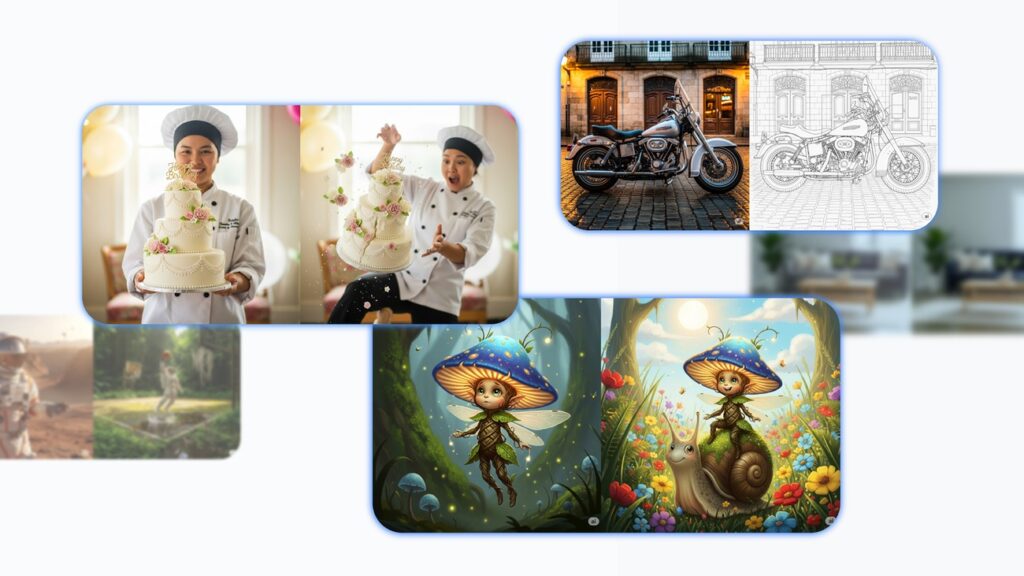
Fantasy, Sci-Fi & Character Design Prompts (12 Prompts)
These prompts help Gemini create rich characters, creatures, and worlds. Customize anything in brackets to match your story, game, or visual style.
Fantasy Characters & Creatures (6 Prompts)
- Fantasy hero portrait
Create a detailed fantasy portrait of a elf/human/dwarf warrior in ornate gold/silver/black armor, standing in front of an ancient forest, soft mist in the background, dramatic lighting, and a determined expression.
- Mystic mage character
Generate a full-body image of a male/female mage wearing flowing robes with glowing runes, holding a staff with a bright crystal, swirling magical energy around them, dark fantasy style.
- Dragon companion scene
Create an epic scene of a young hero standing beside a medium-sized dragon on a cliff edge, sunset sky, wind blowing, cinematic composition, and a sense of friendship and adventure.
- Forest spirit creature
Generate an original forest spirit creature made of leaves, branches, and glowing eyes, standing among tall trees with soft green light and magical particles floating in the air.
- Knight vs monster battle
Create a dynamic battle scene of a knight in heavy armor fighting a giant fantasymonster in a ruined castle courtyard, sparks and debris flying, highly detailed, dark fantasy mood.
- Royal fantasy queen/king
Generate a regal portrait of a fantasy queen/king seated on a throne, wearing an elaborate crown and robes, dramatic indoor lighting, stained-glass windows, and a powerful, calm expression.
Cyberpunk, Futuristic & Sci-Fi Worlds (6 Prompts)
- Cyberpunk street scene
Create a cyberpunk city street at night with neon lights, holographic billboards, rain-soaked pavement, and people in futuristic clothing walking through the scene, high contrast and vibrant colors.
- Futuristic hacker character
Generate a portrait of a futuristic hacker wearing a hood and augmented reality glasses, sitting in front of floating holographic screens, blue and purple lighting, dark tech aesthetic.
- Sci-fi soldier armor design
Create a concept image of a sci-fi soldier wearing advanced exoskeleton armor with glowing accents, standing in a war-torn futuristic battlefield, dramatic clouds and dust in the air.
- Spaceship cockpit view
Generate an image from inside a spaceship cockpit, pilot in a space suit controlling the ship, detailed control panels, and a view of a colorful nebula through the window.
- Futuristic city skyline
Create a wide shot of a futuristic city skyline with flying vehicles, towering skyscrapers, sky bridges, and a glowing sunset, cinematic sci-fi style.
- Android character design
Generate a realistic android character with subtle mechanical details under synthetic skin, standing in a minimalist lab environment, neutral lighting, and an ambiguous, thoughtful expression.
These 12 prompts give you strong starting points for fantasy art, game concepts, and sci-fi character design, all structured for high-quality Gemini image generation.
Product, Branding & Business Visuals (12 Prompts)
These prompts help you turn Gemini into a visual assistant for ecommerce, marketing, and brand design. Copy, paste, and customize anything in brackets.
Product Shots (Studio, Lifestyle, Ecommerce) – 6 Prompts
- Clean ecommerce product shot
Create a photorealistic product photo of a product,e.g.,wirelessheadphone on a pure white background, soft studio lighting, subtle shadows, and high detail, perfect for an ecommerce listing.
- Minimal product-on-pedestal shot
Generate a minimalist product image of item placed on a simple geometric pedestal, neutral background, soft diffused lighting, and a premium, Apple-style aesthetic.
- Lifestyle product in use
Create a lifestyle photo showing product being used by a person in a real-world setting e.g.,kitchen,office,gym, natural lighting, warm tones, and relaxed, authentic mood.
- Flat-lay product arrangement
Generate a flat-lay image of product surrounded by complementary items e.g.,notebook,pen,coffeecup, shot from above, clean composition, neutral background, Instagram-style.
- Hero banner product shot
Create a wide hero banner image featuring product in the center, soft gradient background, gentle glow, and space on the sides for text overlay, suitable for website homepage.
- Close-up detail shot
Generate a macro close-up image focusing on the texture and finish of productmaterial,e.g.,leather,metal,fabric, with shallow depth of field and dramatic lighting.
Branding, Packaging & Mockup Visuals – 6 Prompts
- Logo on business card mockup
Create a realistic mockup of a business card placed on a clean desk, featuring the logo describelogotext/shape, soft natural light, shadows, and a professional, minimal look.
- Packaging box design
Generate a 3D render of a packaging box for producttype, with clean branding in brandcolors, placed on a neutral background, studio lighting, and subtle reflections.
- Bottle or jar label mockup
Create a product mockup of a bottle/jar with a modern label design for beverage/skincare/supplement, placed on a reflective surface with soft gradient background.
- Brand identity board
Generate a brand identity board showing logo, color palette swatches, typography samples, and a few mockup elements for a brand named brandname, in style:minimalist,playful,luxury.
- Billboard or outdoor ad mockup
Create a photo-realistic mockup of a large billboard in a city street displaying an advertisement for brand/product, cars and people in the scene, bright daylight, and high clarity.
- Social media branding preview
Generate a set of 3 social media post previews for brandniche, with consistent color palette, simple layouts, bold headlines, and placeholders for product photos.
These 12 prompts give you a ready-made toolkit for ecommerce images, marketing visuals, and brand mockups, perfect for online stores, portfolios, presentations, and client work generated with Gemini.
Photography Styles & Artistic Effects (12 Prompts)
These prompts help you explore different photo styles and artistic effects with Gemini—perfect for mood boards, concept art, or social media visuals. Customize anything in brackets.
Vintage, Film, Polaroid & Retro Styles (6 Prompts)
- Vintage film street photo
Create a vintage film-style photo of a busy cityname street at sunset, soft grain, slightly faded colors, light haze, and subtle lens flares, shot from eye level with a candid, documentary feel.
- Retro polaroid portrait
Generate a Polaroid-style portrait of a man/woman laughing with friends at a small café, warm tones, soft blur, white Polaroid frame, slightly overexposed highlights, and handwritten date at the bottom.
- 70s retro living room
Create a retro 1970s-style photograph of a living room with patterned wallpaper, wooden furniture, orange and brown color palette, slight color cast, and a cozy, nostalgic mood.
- Old film travel snapshot
Generate a travel photo of a person standing in front of landmark, shot on “old film”, with muted colors, light grain, slightly off-center framing, and a spontaneous tourist vibe.
- Black-and-white vintage portrait
Create a black-and-white portrait of an older person sitting by a window, strong side lighting, deep shadows, visible wrinkles, and a timeless, classic film photography style.
- Retro family photo
Generate a late 80s/90s family photo in a living room, slightly awkward posing, typical clothes of that era, on-camera flash, and a mildly faded print look.
Cinematic, HDR, Surreal & Artistic Effects (6 Prompts)
- Cinematic still frame
Create a cinematic still frame of a person standing in the rain on a city street at night, neon signs reflected in puddles, shallow depth of field, strong contrast, and dramatic movie-like lighting.
- HDR landscape
Generate an HDR-style photo of a mountain landscape at sunrise, high dynamic range, rich colors, detailed clouds, and crisp foreground rocks, with a dramatic, epic feel.
- Surreal dreamscape
Create a surreal dreamscape with floating islands, waterfalls flowing into the sky, and a person standing on the edge looking up, soft pastel colors and painterly, ethereal style.
- Double exposure effect
Generate a double exposure-style portrait of a person’s silhouette filled with a forest scene—trees, birds, and mist—clean white background and artistic fine-art photography feel.
- Long-exposure night road
Create a long-exposure photo of a highway at night with light trails from cars, deep blue sky, distant city lights, and a sharp, modern look.
- Watercolor photo effect
Generate an artistic image of subject rendered as a soft watercolor painting, visible brush strokes, light splashes, and a clean white paper background.
These 12 prompts let you experiment with classic photography vibes and creative visual effects, giving your Gemini-generated images a polished, stylized, professional look without needing real camera gear or editing software.
Bonus: How to Refine and Improve Gemini’s Images
Even with strong prompts, your first Gemini image won’t always be perfect—and that’s normal. Great AI art usually comes from small, smart adjustments rather than a single “magic” prompt. Here’s how to refine results efficiently.
1. Iterate Instead of Starting From Scratch
If an image is “almost right”, don’t throw it away. Tell Gemini what to change:
- “Keep the same composition, but make the lighting softer.”
- “Change the outfit to style/color.”
- “Make the background less busy and more minimal.”
Point out what you like and what to fix in the next version.
2. Adjust One Thing at a Time
If you change subject, style, lighting and background all at once, Gemini has to guess too much. Focus on one or two aspects per revision:
- First: subject and pose
- Then: lighting and mood
- Then: background and details
This gives you more control.
3. Use Clear Constraints
If images look chaotic or over-detailed, add constraints:
- “Use a simple background.”
- “Avoid text on the image.”
- “Use a neutral color palette.”
Constraints help Gemini “stay inside the frame” of your vision.
4. Ask for Multiple Options
When you like a direction but want choice, ask:
- “Generate 3 variations of this image with different lighting styles.”
- “Give me 4 versions of this composition with different outfits.”
You can then pick the best one and refine from there.
5. Fix Common Issues Directly
If hands, faces, or proportions look off, say it:
- “Fix the hands so they look natural.”
- “Make the face more realistic and less stylized.”
Being explicit often improves the next render.
By treating image generation as an interactive loop—prompt → review → small tweak → re-prompt—you’ll quickly get polished, consistent visuals from Gemini that match your brand and style.
FAQs About Gemini Image Prompts
1. Will these prompts work with all image-enabled versions of Gemini?
In most cases, yes. Any Gemini version that supports image generation or editing can use these prompts. If a specific model doesn’t support images, it will ignore the visual instructions or return an error. Always check the model description in your interface or docs.
2. Do I need to mention camera settings like lens, aperture, or ISO?
You don’t have to, but it can help for very specific looks. For beginners, describing lighting, mood, distance (close-up vs wide) and style (cinematic, vintage, 3D, etc.) is usually enough. If you want more realism, you can add “shot on 50mm lens, shallow depth of field,” but it’s optional.
3. How do I fix weird faces, hands, or body proportions?
Be explicit in your next prompt or revision:
- “Fix the hands so they look natural.”
- “Improve the facial features and make them more realistic.”
You can also simplify: fewer people in the frame, less cluttered background, and clear instructions like “full-body shot” or “shoulder-up portrait.”
4. Can I use these prompts for commercial work or clients?
Yes, you can adapt these prompts as templates for client work, product visuals, mood boards, or marketing content—just make sure you respect the usage and licensing terms of the platform you’re using and avoid generating content that infringes on trademarks or copyrights.
5. Why do my images sometimes look too busy or chaotic?
That usually means the prompt is trying to do too much. Add constraints like:
- “Simple background”
- “Minimal composition”
- “Limited color palette”
Fewer elements + clearer focus = cleaner, more professional images.
6. Should I save my best prompts?
Absolutely. Building your own prompt library is one of the fastest ways to get consistent results. Keep a document with your favorite prompts and small variations so you can reuse and adapt them whenever you start a new project.
Conclusion
Getting great visuals out of Gemini isn’t about luck – it’s about how you talk to the model. When you move from short, vague lines like “make a cool picture” to structured prompts that describe the subject, lighting, mood, style, and background, Gemini suddenly starts producing images that look intentional and professional.
In this guide, you’ve collected 60 ready-made prompts for Gemini image generation across portraits, fashion, fantasy, sci-fi, products, branding, and artistic photography styles. You can use them as quick copy-paste commands when you’re in a hurry, or as templates to shape your own custom prompts for clients, social media, or personal projects.
As you experiment, keep refining: change one detail at a time, add clear constraints, and save the prompts that work best. Over time, you’ll build a personal prompt library—and Gemini will feel less like a random generator and more like your own AI art director.